
Make a Payment - Credit Card
Make a Payment
To make an online payment to Student Business Services, log into the TTUHSC Portal.
Click My Tech Tab > Manage My Finances > Student Business Services > Make a Payment /View eBill
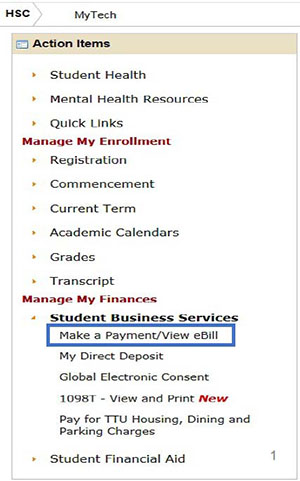
The Make a Payment/View eBill section allows you to
- Make Online Payments
- View eStatements
- Check Account Activity
- Change Authorized Users
Make a Payment - click to proceed to the next page for payment options.
View Account Activity - click to see current account activity.
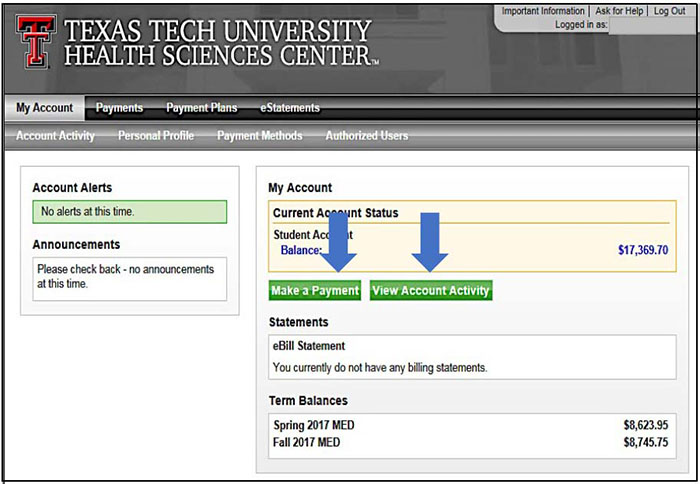
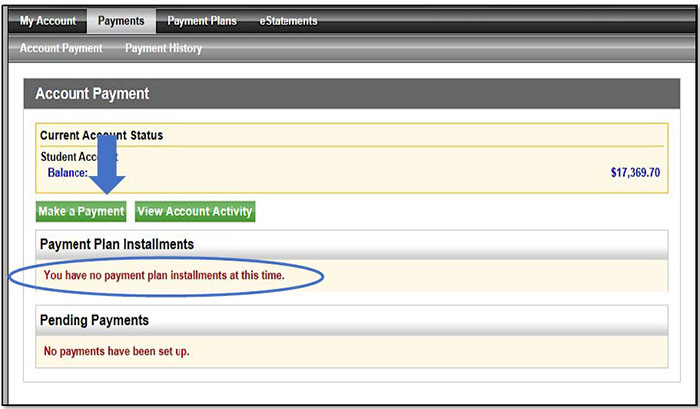
Make a Payment - Click to continue to next make a payment page.
(Please note - Payment Plan Installments will always show no plans at this time. Please see our website for Payment Due Dates based on School/Program at http://www.fiscal.ttuhsc.edu/studentbusserv/ )
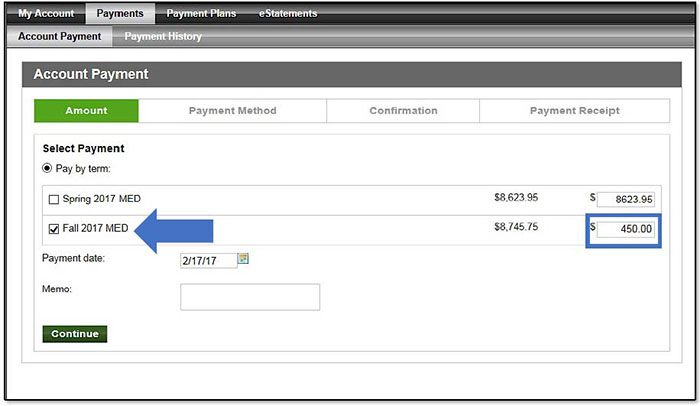
Pay by Term
Pay by Term - Check the box next to the Term that you are paying against and adjust the total in the far right column to the amount of your payment.
Select Payment Method
Please note - to avoid the credit card service fee please choose Electronic Check or Debit Card.
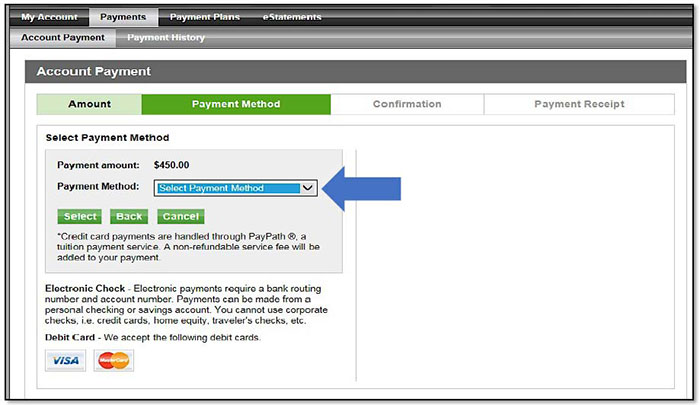
Credit Card Payment
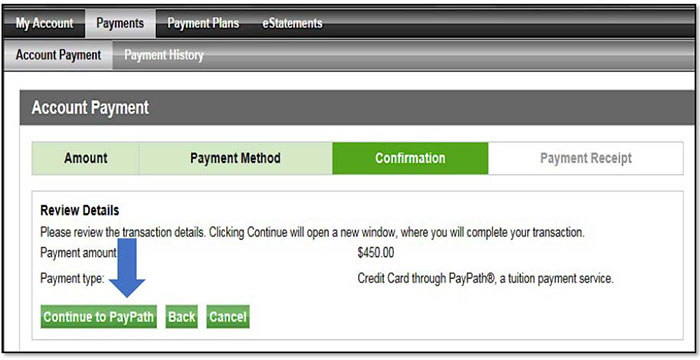
Review Details - Check the transaction details entered during the make a payment process.
Continue to PayPath - A new window will open and payment will process through Touchnet PayPath Service®, a tuition payment service.
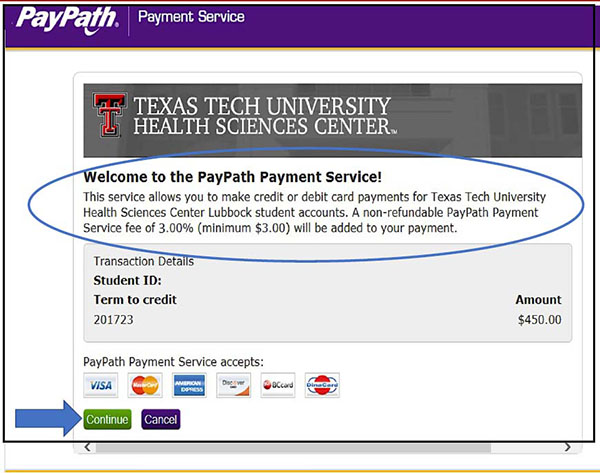
Service Fee
A non-refundable service fee on credit card transactions of 3% ($3 minimum service fee) of the credit card payment will be charged by PayPath.
Continue - The processing of the credit card payment transaction, including a non-refundable PayPath Service Fee, will move forward via the tuition payment service.
Payment Amount Information - Another reminder regarding the addition of a non-refundable PayPath Payment Service Fee to your payment for using a credit card will appear.
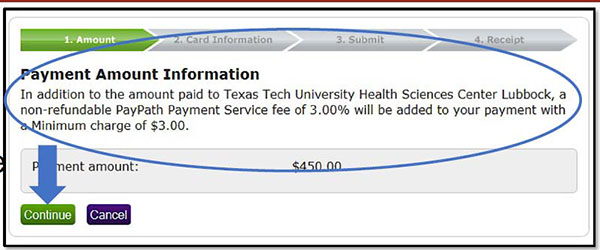
Click Continue to enter payment details on the next screen.
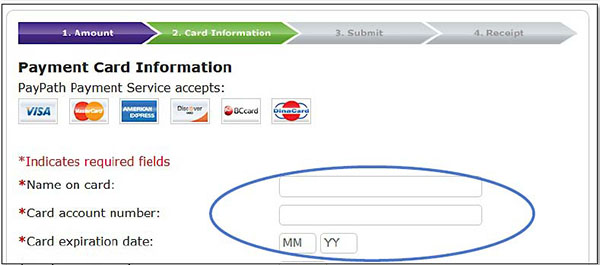
Submit Payment
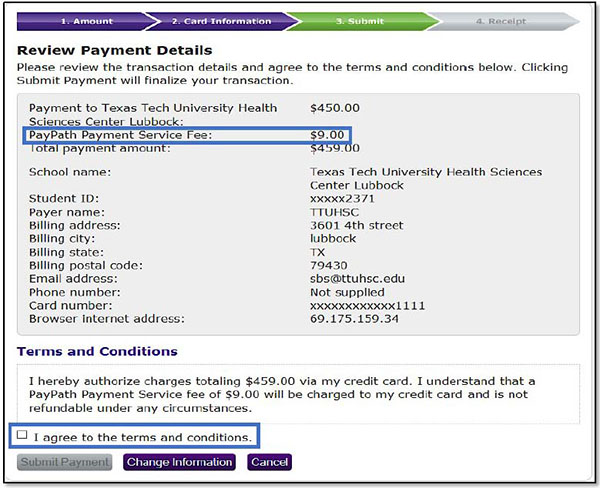
Review Payment Details - After submitting your credit card information, please review your payment information.
(Please note, the non-refundable PayPath Payment Service Fee has been added to your payment amount.)
Click the "I agree to the terms and conditions" and Submit Payment to continue with the credit card payment.
Payment Receipt
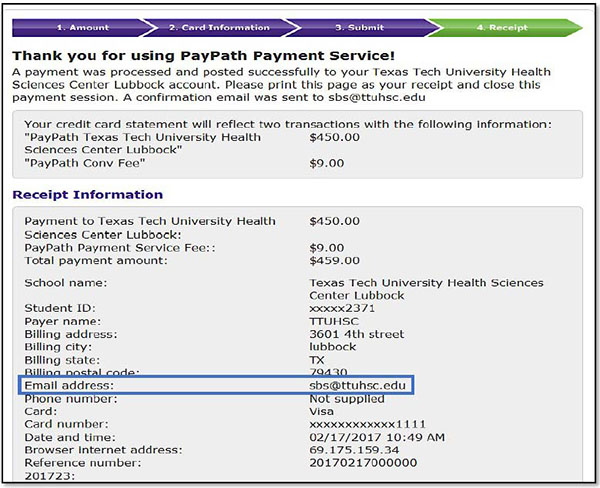
Receipt Information - A payment has been made to your TTUHSC account via PayPath. A copy of the receipt will be sent to the email address provided.
You have the option to print a copy of the receipt at the bottom of the receipt screen.
For additional questions, contact Student Business Services at sbs@ttuhsc.edu or (806) 743-7867.
Contact
Student Business Services
-
Address:
Student Business Services | PO Box 5868 | Lubbock, Texas 79408 -
Phone:
(806) 743-7867 -
Email:
sbs@ttuhsc.edu