
Invoice Management System Training
Invoices which have been delivered into the departments are to be submitted to Payment Services using the Invoice Management System. The submission process eliminates/replaces the process of submitting invoices to Accounts Payable via comments in TechBuy. The system is user friendly and efficient for submitting invoices. The new Invoice Management System comes with significantly improved functionality including:
- Electronic invoice web submission portal;
- Confirmation of invoice submission;
- Automated reminders to complete TechBuy receiving;
- Notification of when an invoice has been paid.
NOTE: Accounts Payable Operating Policies still apply.
Utilizing the System
The system can be accessed from:
- Invoice Management System
- WebRaider Portal > Business Affairs tab > Links to Financial Systems > TechBuy
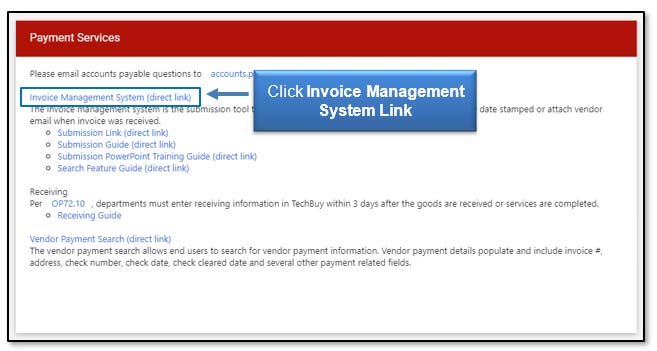
From the TechBuy Shopping home page, look under Invoice Submission to begin the process. Complete your TechBuy receipt then submit your invoice document to AP by clicking the Invoice Management System link.
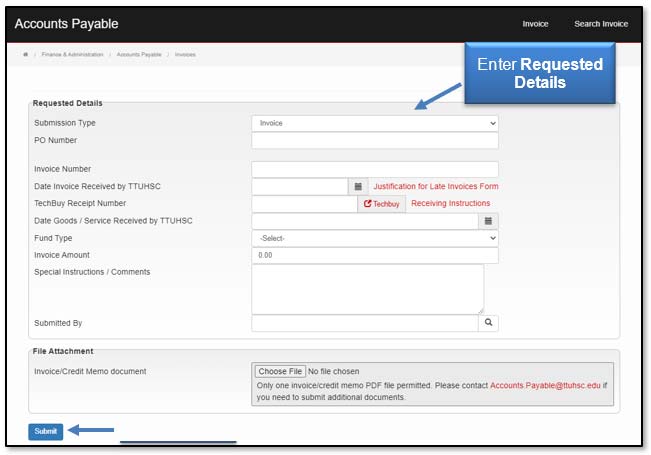
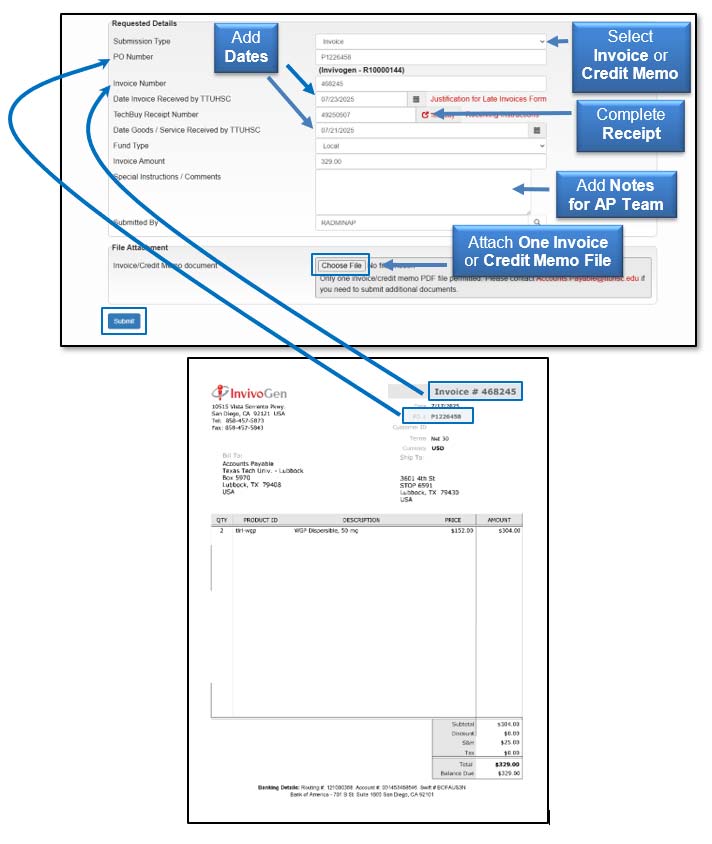
Fill in the Requested Details from your vendor invoice document and click Submit.
Here is an example of where to find the Requested Details on an invoice.
Notifications
As actions are completed in the new system, you or a designated individual with invoice responsibility may receive one or more of the following notifications:
- Portal Entry Notification
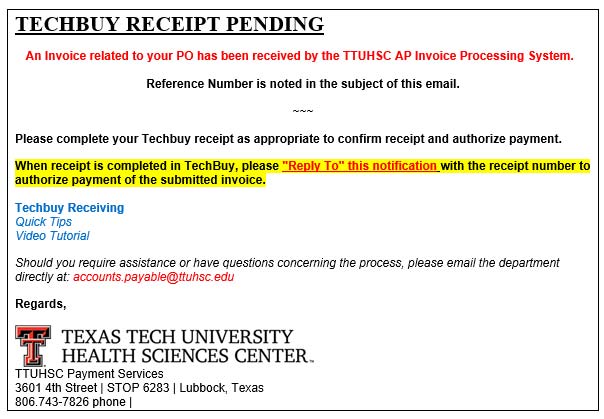
- TechBuy Receipt Pending Notification
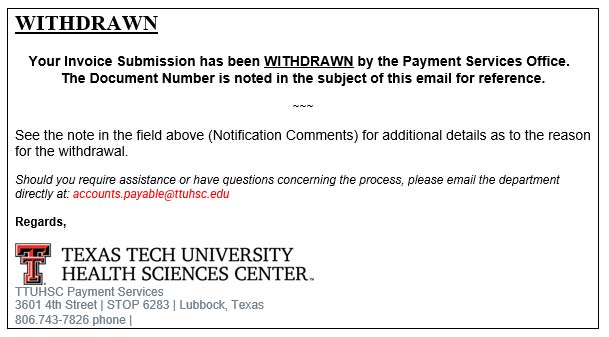
- Withdrawn Notification
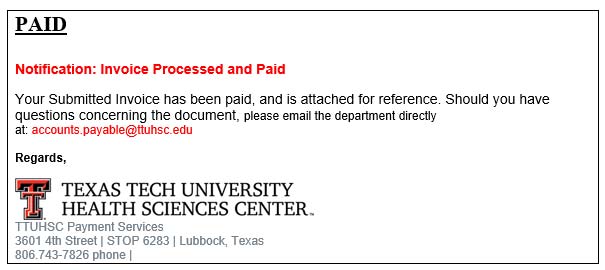
- Paid Notification
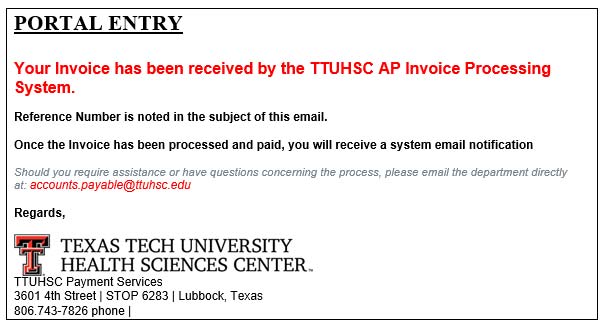
Portal Entry Notification
Received when the invoice is submitted through the portal. The Portal Entry notification confirms your invoice was received in the system.
TechBuy Receipt Pending Notification
Received when an invoice portal submission is received and the TechBuy Receipt Number field is not complete. Receiving will need to be completed in TechBuy.
Once receiving is complete, please reply to the TechBuy Receipt Pending notification email with the receipt number.
Withdrawn Notification
Received when Payment Services withdraws an invoice. Please contact Payment Services if additional information is needed on why the invoice was withdrawn.
Paid Notification
Received when Payment Services processed the invoice and the invoice is paid.
If you have additional questions, please contact Accounts Payable at accounts.payable@ttuhsc.edu.
Contact
Finance Systems Management
-
Address:
3601 4th Street STOP 6209 | Lubbock, Texas 79430-6209 -
Email:
fsm@ttuhsc.edu