
Travel Card - Online Account Registration
TTUHSC State Travel cardholders should register for an online account with U.S. Bank Access Online after receiving their physical card. Account set-up is necessary to monitor transactions, obtain monthly statements, make payments, and receive important account notifications.
Do not attempt to complete online account registration prior to receiving the physical card. Successful account registration requires the 16-digit account number and account expiration date.
U.S. Bank Access Online Registration
To complete your online account registration, complete the following steps.
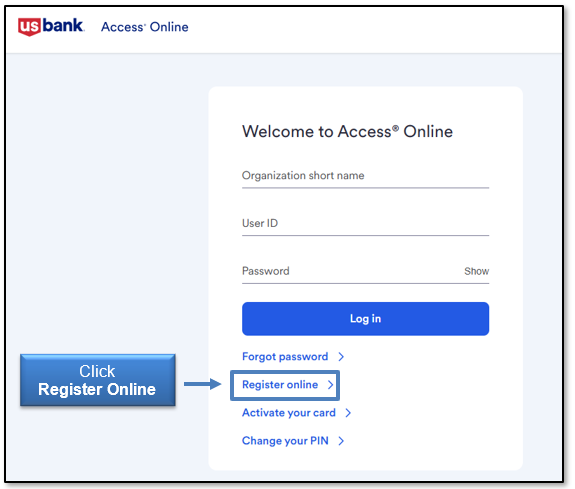
1. Go to U.S. Bank Access Online login page.
2. Click Register Online to open the registration portal.
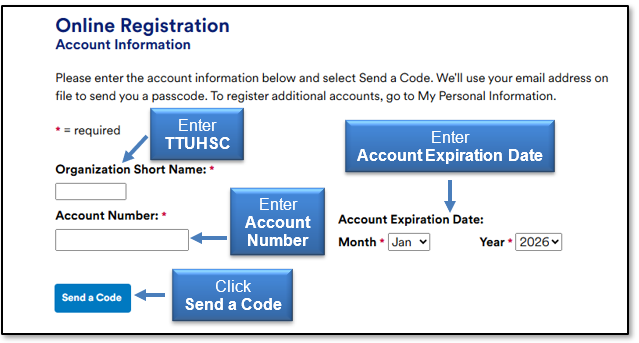
3. Enter the following information:
- Organization Short Name: TTUHSC
- Account Number: 16-digit account number on physical card
- Account Expiration Date: Expiration Month and Year
4. Select Send a Code. This will prompt a passcode to be sent to the email used on your account application.
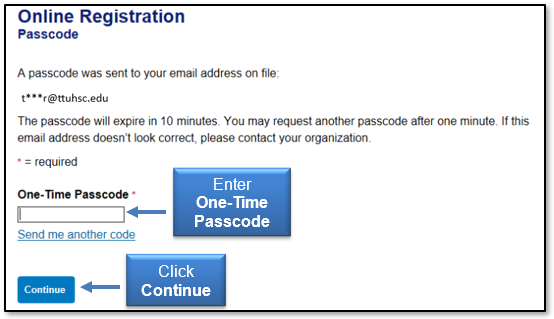
5. After receiving the passcode in your email inbox, enter the passcode on the Online Registration Passcode screen. Then, click Continue.
6. Review and accept the Licensing Agreement.
7. Designate your User ID, Password, and three Authentication questions and responses.
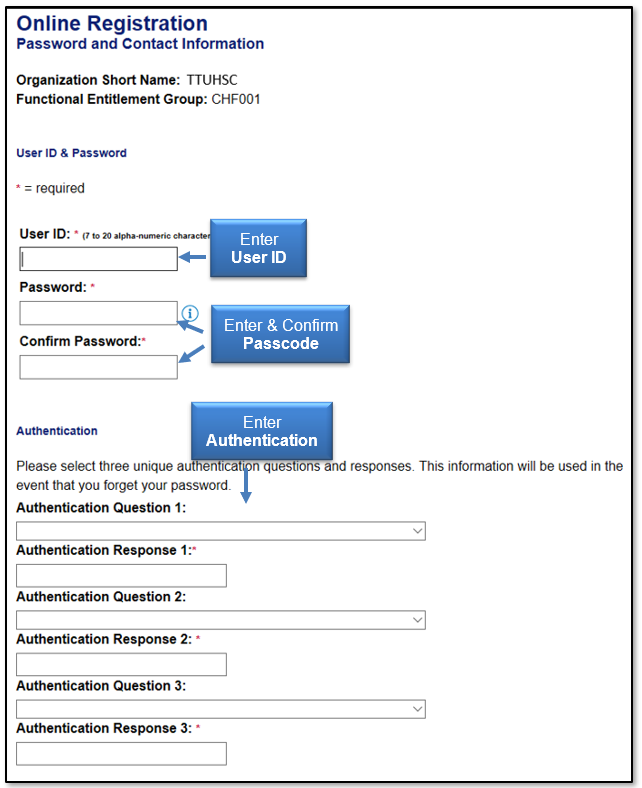
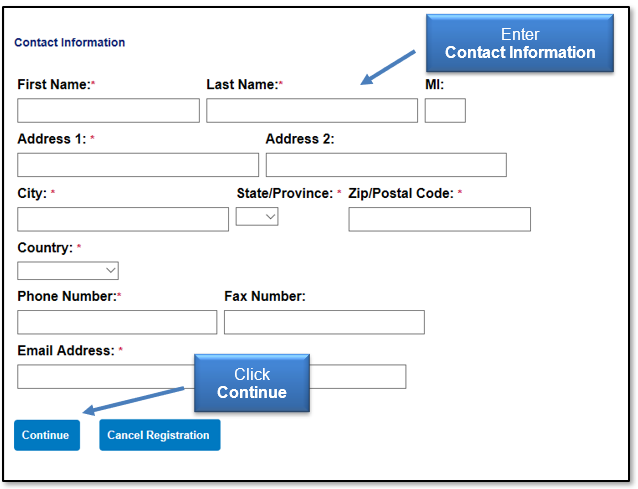
8. Enter your Contact Information and select Continue.
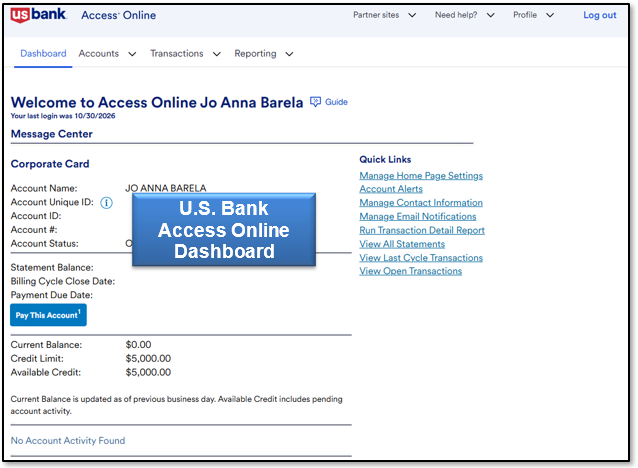
Once your account registration is completed, you will be directed to your U.S. Bank Access Online Dashboard.
To view the online account registration procedures in video format, visit Access Online - Online Registration.
After completing registration, review of the Cardholder Online Basics video training is highly recommended.
Note: Any password reset attempts without the assistance of TTUHSC Travel Administration will not be successful. If you experience any issues with logging into U.S. Bank Access Online, contact travel@ttuhsc.edu.
Contact
Finance Systems Management
-
Address:
3601 4th Street STOP 6209 | Lubbock, Texas 79430-6209 -
Email:
fsm@ttuhsc.edu