
Travel Card - Account Alerts
U.S. Bank Access Online offers a variety of text and email alerts to help TTUHSC employees stay informed of account activity and upcoming payment deadlines. Cardholders are strongly encouraged to enroll in notifications to assist with managing their accounts and avoiding past due balances.
Note: You must register for an online account prior to setting up account alerts. For more information on the online account registration process, reference the Travel Training Center.
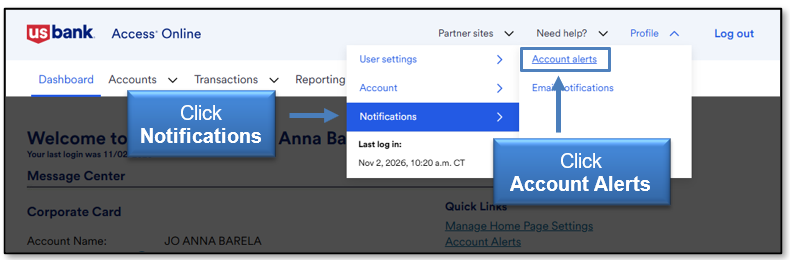
Enter your ttuhsc.edu email address and mobile phone number.
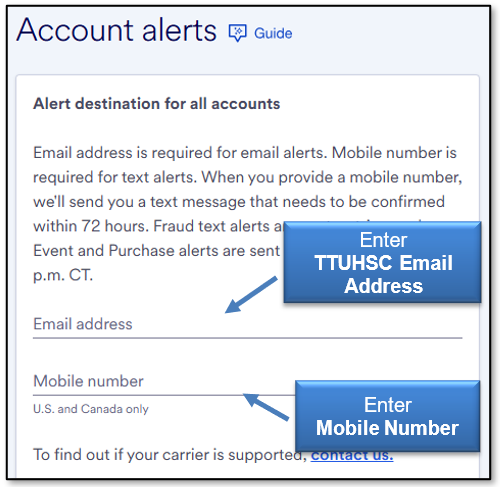
Click the Terms & Conditions link to review additional information and consent to receiving alerts.
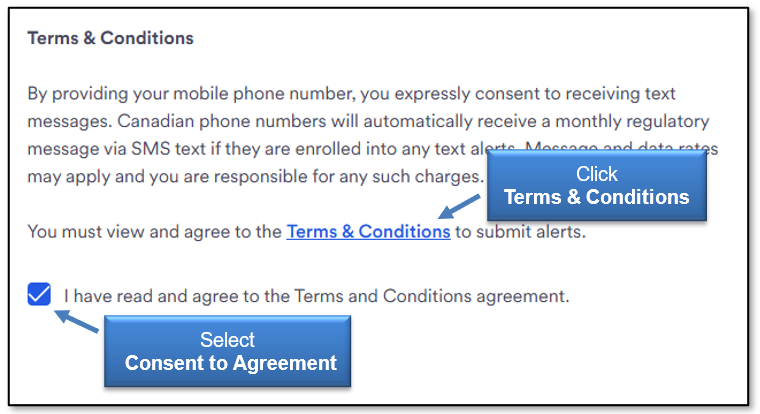
Alert Types
Set up a minimum of the following alert types and indicate delivery method. Alerts can be received via email and/or text.
Fraud Alert
The Fraud Alert is used when suspicious activity is detected on enrolled accounts.
If potential fraud is suspected, U.S. Bank will temporarily suspend the account. Fraud alerts are crucial to ensuring that the cardholder is notified promptly, so they can contact U.S. Bank Customer Service and verify the account activity.
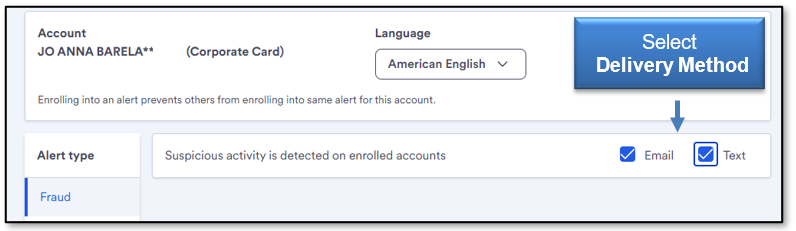
Purchase Alert
The Payment Alert is used to indicate when payment is due for the account.
Enter the desired number of days from the payment due date that you would like to receive the alert.
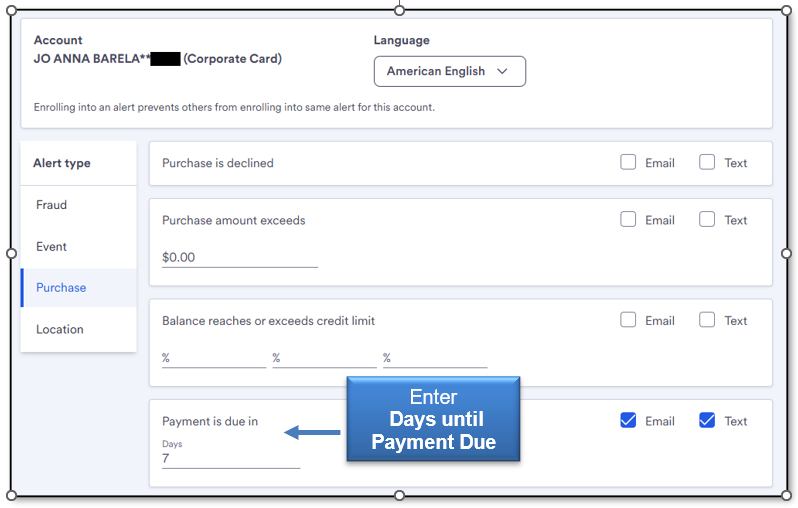
Review and select delivery method for any other alert types that you would like to receive. When you have verified delivery method for all desired alert types, select the Save button on the bottom right corner.
After saving, submission of the alert changes will be verified by the site.

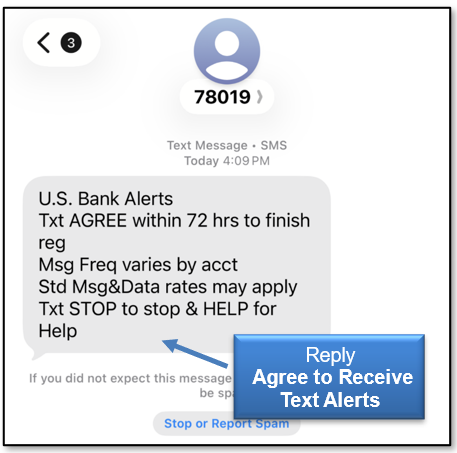
Enrollment in text alerts will generate a text to your phone for approval to proceed. Reply Agree to receive the text alerts.
Email Notifications
Status Notifications
Select the Profile menu option in the upper right corner. Select Notifications and then Email Notifications.
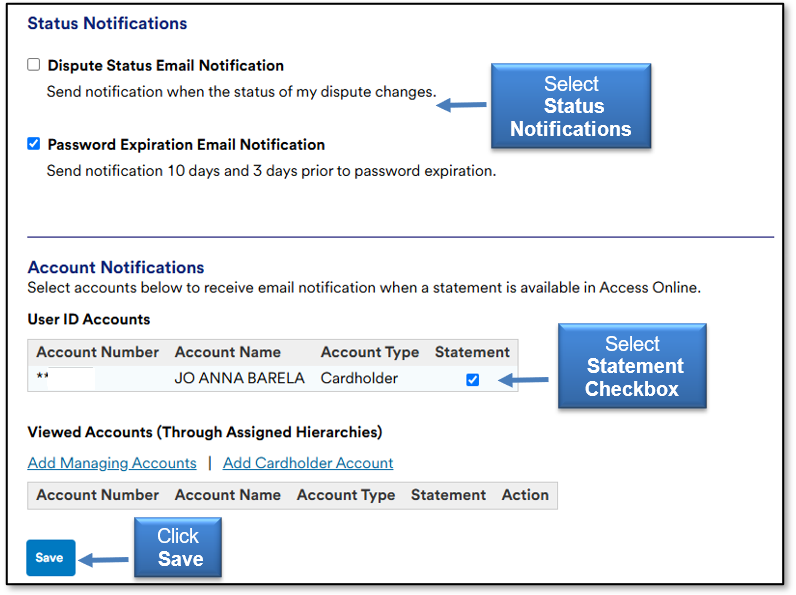
To receive email notifications regarding disputed transactions and password expirations, select each under Status Notifications.
Account Notifications
To receive an email notification when your monthly billing statement is available in U.S. Bank Access Online, select the Statement checkbox under Account Notifications.
U.S. Bank does not mail paper statements. Cardholders are strongly encouraged to select Statement notifications to ensure they are aware of when a new billing statement is available in their online account.
Once all notifications selections are made, click Save.
For questions, contact travel@ttuhsc.edu.
Contact
Finance Systems Management
-
Address:
3601 4th Street STOP 6209 | Lubbock, Texas 79430-6209 -
Email:
fsm@ttuhsc.edu