
Smudges
In Case of a Smudge...
Every digital copier, fax machine, and multi-functional printer is equipped with slit glass, a narrow, 1-inch-wide glass strip located next to the main flatbed scanner glass, as a means of scanning images. Eventually the glass gets dirty, resulting in lines on copies and transmitted faxes. When there are lines on a copy, it is very likely that the issue is stemming from a dirty slit glass.
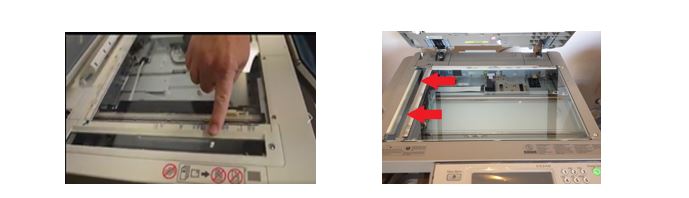
How do you clean the glass on your copier?
Take the following steps to get rid of lines on copiers when you're using the document feeder:
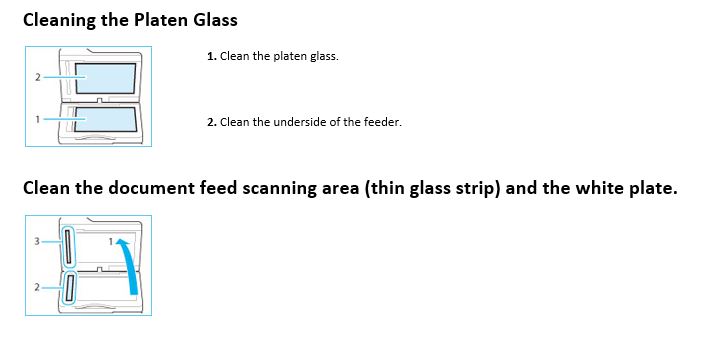
1. Lift the document feeder. You should be able to see a narrow glass strip on the left side of the glass panel. It is approximately 1 inch by 12 inches. This glass is the slit glass.
2. Grab a cotton towel and soak it with alcohol. An alcohol swab also works well. You can use glass cleaner, but for common copier slit glass debris, such as white out and ink, it is not as effective as alcohol.
3. Go over the slit glass with a lint-free cotton towel saturated with glass cleaner and dry the slit glass to eliminate streaks. Avoid spraying cleaner directly onto the glass, as some of the solution will work its way into the copier.
Contact
General Services
-
Address:
3601 4th Street STOP 9012 | Lubbock, Texas 79430-9012 -
Phone:
806.743.2090 -
Email:
generalservices@ttuhsc.edu